
.webp)
Published: December 4, 2025
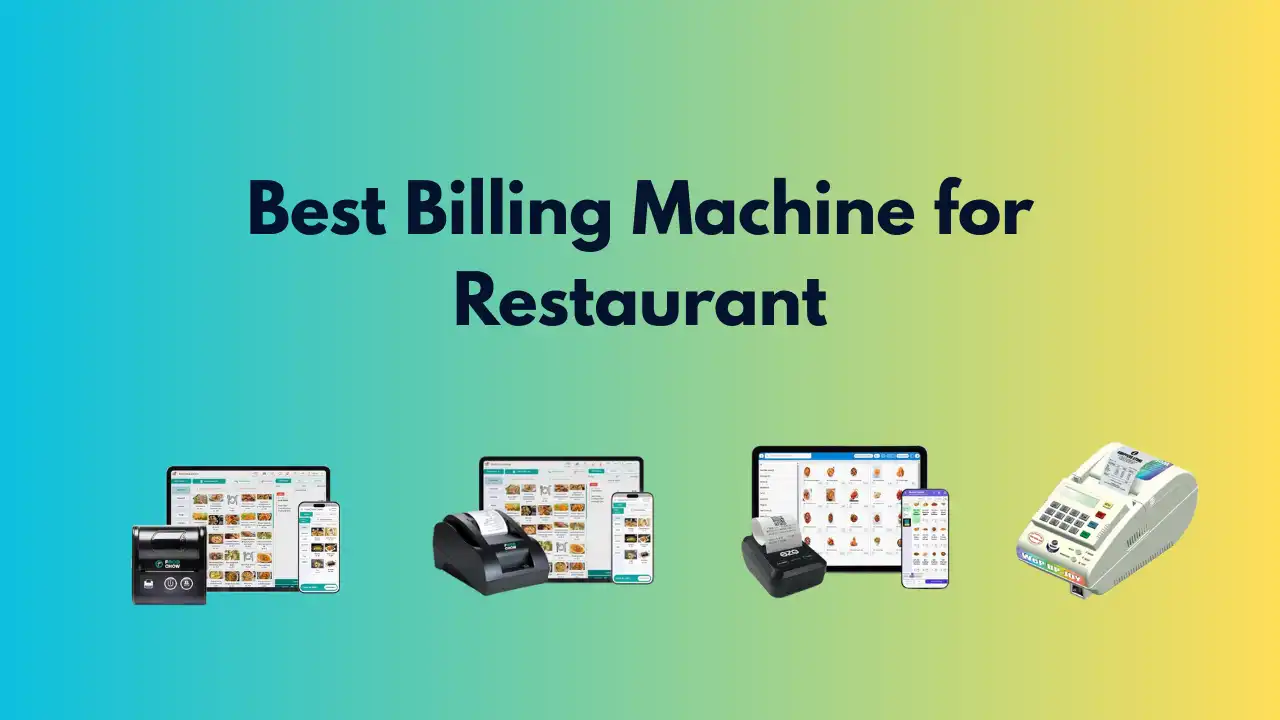
Running a restaurant means bills, KOTs, inventory, staff shifts, delivery orders and tax reports — all at the same time. The right billing / POS software turns chaos into a predictable workflow, reduces errors, and saves time (and money). Below I've compiled 11 of the best restaurant billing / POS solutions (India + global), with what each does best, key features, typical fit, pros/cons and a short buying tip so you can pick the right one quickly.
Note: I've highlighted official product pages for the five most load-bearing picks so you can verify features and pricing directly.
Table of Contents
How I Picked These (Quick Criteria)
I focused on systems that restaurant owners frequently choose for real-world needs:
- Core billing / KOT reliability
- Inventory & recipe / food-cost control
- Support for dine-in + takeaway + aggregator/online orders
- Multi-outlet / cloud capabilities
- Useful reports / GST / accounting features
- Ease of use + local support (important when service matters)
The 11 Best Restaurant Billing Software (Summary List)
- Petpooja — Best all-round for Indian restaurants. petpooja.com
- POSist — Best for multi-outlet / enterprise restaurant groups. Posist
- Toast — Best for full-service/high-volume restaurants (US market leader). Toast POS
- Square for Restaurants — Best for small cafes, food trucks, quick setups. Square
- GoFrugal (Restaurant POS) — Best for inventory & cost control for Indian restaurants. Gofrugal
- LimeTray — Best for restaurants wanting integrated website/online ordering + POS
- Lightspeed Restaurant — Best for advanced inventory, tableside ordering and analytics
- Revel Systems — Best for enterprise QSRs and chains wanting many integrations
- QPOS / Torqus / PosEase (regional options) — lightweight, cost-effective Indian POS choices
- GoFrugal / MazaPOS / Hitech — budget or on-premise alternatives with core features
- Talech / Epos Now — good mid-market options (simple setup + decent reporting)
Deep Dive: Each Product (What It Does, Who Should Choose It)
1) Petpooja — All-rounder for India
What it is: Cloud-first restaurant POS built specifically for Indian F&B (dine-in, cloud kitchens, QSRs). Handles KOTs, multi-terminal billing, menu management, delivery integrations and inventory modules.
Best for: Single outlets to mid-size restaurants that need a quick, India-friendly solution. petpooja.com
Pros: Local GST features, lots of integrations (aggregators), easy training.
Cons: Add-ons and integrations can increase cost.
2) POSist — Scalable Cloud Restaurant Management
What it is: Full restaurant management platform for multi-outlet brands — strong reporting, inventory and third-party integrations.
Best for: Chains, cloud kitchens and restaurants planning to scale. Posist
Pros: Strong multi-outlet controls, centralized reporting, reliable support.
Cons: Pricier than simple POS; overkill for tiny cafés.
3) Toast — Restaurant-grade POS (US Market)
What it is: Robust, restaurant-centric POS with hardware, offline mode, KDS, payments and many integrations. Designed for restaurants of all sizes but very popular with high-volume US restaurants.
Best for: Full-service restaurants in regions where Toast operates. Toast POS
Pros: Purpose-built hardware, 24/7 support, deep integrations.
Cons: Geographic availability and pricing vary (primarily US).
4) Square for Restaurants — Fast Setup, Low Friction
What it is: Simple, flexible POS built for quick service, cafes, food trucks and small restaurants. Integrates payments, online ordering and hardware.
Best for: Small single-location businesses that want low setup time and predictable fees. Square
Pros: Affordable entry cost, intuitive UI, fast onboarding.
Cons: Advanced restaurant features (complex inventory, multi-outlet) are limited.
5) GoFrugal Restaurant POS — Inventory & Cost Control Focus
What it is: Indian EPOS with strong inventory, recipe and food-cost reporting — helpful where margin tracking is critical.
Best for: Restaurants that need tight inventory control (multi-item menus, wastage tracking). Gofrugal
Pros: Detailed purchase/inventory modules, franchising features.
Cons: UI can feel dated vs newer cloud natives.
6) LimeTray — POS + Website + Online Ordering
What it is: A combined POS and online ordering/website platform — good if you want a single vendor for web + POS.
Best for: Restaurants that want to own direct online orders and cut aggregator fees.
Pros: Built-in website/ordering plus POS sync.
Cons: Feature depth may lag specialist POS systems.
7) Lightspeed Restaurant — Strong Restaurant Features + Analytics
What it is: Cloud POS focusing on customizable menus, inventory and advanced analytics; good tableside capabilities.
Best for: Restaurants with complex menus and need for strong reporting. Lightspeed
8) Revel Systems — Enterprise QSR / Chain Fit
What it is: Feature-rich POS for larger operations with many integrations and hardware options.
Best for: Large QSRs or multi-brand operators needing custom workflows.
9) QPOS / Torqus / PosEase — Regional, Cost-Effective Options
What they are: Local Indian POS solutions focused on affordability and quick deployment.
Best for: Small restaurants and kiosks that need essential billing + basic reporting. Posease
10) Hitech / MazaPOS — Budget / On-Premise Alternatives
What they are: Simpler billing systems that cover billing, KOT and basic inventory; good for very small shops.
Best for: Mom-and-pop outlets or eateries with limited budgets.
11) Talech / Epos Now — Mid-Market Options
What they are: Easy to use, solid reporting, decent multi-location support for mid-sized operations.
Best for: Growing restaurants that want mobile POS options without enterprise costs.
Quick Comparison (Features Checklist)
When comparing, check for:
- Offline mode (can you bill when internet drops?)
- Kitchen Display System (KDS) or printed KOTs
- Inventory & recipe / food-cost management
- Aggregator / delivery integrations (Zomato, Swiggy, UberEats etc. in India)
- Multi-outlet & centralized reporting
- GST / tax reports & export to accounting systems
- Hardware availability & local support
Pricing — What to Expect
Entry / cloud monthly: many vendors charge per-terminal monthly fee (₹1,500–₹6,000+ in India for advanced plans) or a SaaS tier.
Hardware: POS terminals / printers / KDS cost extra.
Payment processing: some POS providers bundle payments; others integrate third-party gateways with transaction fees.
Always request a full TCO (Total Cost of Ownership) that includes license, hardware, installation and onboarding.
Which One Should You Pick?
- If you're in India and want an easy, restaurant-friendly system → start with Petpooja or POSist. Both are widely used and built with Indian operations in mind.
- If you run a single cafe/food truck and want low friction → Square for Restaurants (or a regional equivalent).
- If you need very good inventory & cost control → consider GoFrugal.
- If you're in the US with high volume / full-service → evaluate Toast.
Buying Checklist (Before You Sign)
- Ask for a live demo with your menu and a real transaction flow.
- Request a trial or pilot in one outlet for 2–4 weeks.
- Confirm SLAs (support hours, response time) and local support options.
- Verify data export so you can switch later if needed.
- Compare total cost: software + hardware + onboarding + payment fees.
Final Thoughts
There's no 1-size-fits-all: a micro-cafe and a 20-outlet cloud-kitchen have different needs. Start with your top 3 must-have features (e.g., multi-outlet reporting, KDS, or online ordering), shortlist 3 vendors, run a short pilot, and then roll out.
.webp)
.webp)